Bifrost Admin Console
Overview
Bifrost is the admin console where teams define, configure, and manage the contextual intelligence platform. It provides a human-friendly interface for creating and inspecting the core objects, structural relationships, and governance rules that make contextual AI work.
In Bifrost, you assemble the building blocks of context - roles, facilities, assets, collections, agents, and MCPs - then configure how they connect through binding rules. The console makes complex configuration manageable by presenting structured data in guided workflows, so you can scale contextual intelligence without losing control or clarity.
The console also surfaces logs and assemblies, so you can see how context was synthesized and verify that governance rules are applied correctly.
Access
Access the Bifrost admin console at:
Authenticate with your admin credentials to access the console. The interface is organized into sections for Core, Assets & Collections, Templates, and Operations.
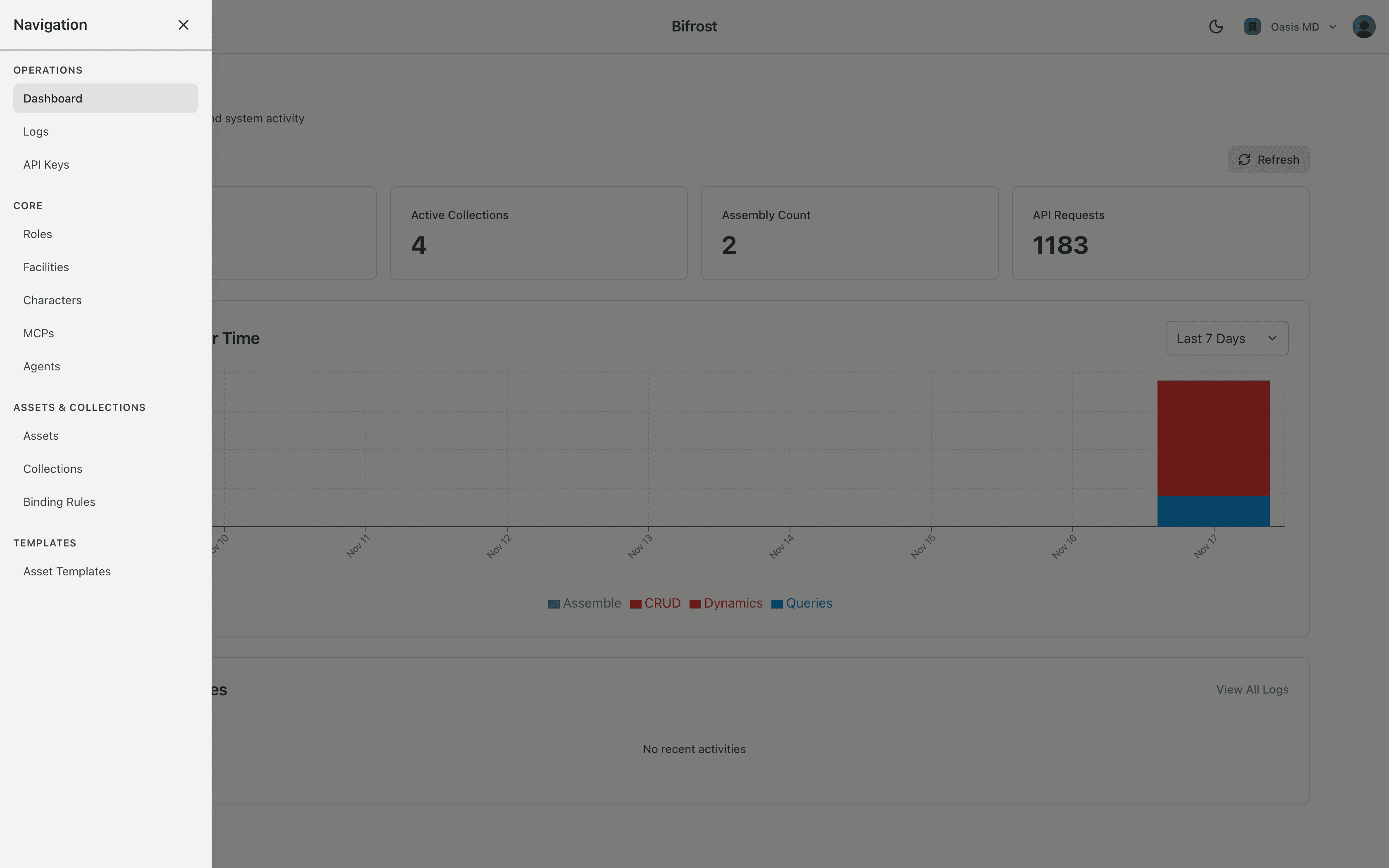
Core
These are the foundational elements that define who, where, and how contextual intelligence operates:
- Roles - Define who can access what. Roles represent the people or personas that interact with the system, mapping to your organization's access model.
- Facilities - Represent physical or logical locations where contextual intelligence operates. Facilities organize assets and collections by geography or organizational structure.
- Characters - Configure the personality, behavior, and inference settings for copilots. Characters define how the AI presents itself and where its inferences run.
- Agents - Define specialized AI capabilities that can be bound to assets or collections. Agents represent focused workflows and decision-making logic.
- MCPs - Model Context Protocol configurations that connect copilots to real systems. MCPs define what tools are available, where they can operate, and who can use them.
Assets & Collections
These represent the real-world entities, zones, and relationships that contextual intelligence understands:
- Assets - Represent physical or logical entities like equipment, clients, patients, or systems. Assets are the objects that copilots interact with and reason about.
- Collections - Define zones of awareness - the sets of assets, tools, and agents relevant to a user in a specific place. Collections are typically defined in Bifrost, then used dynamically via the Bridge API.
- Binding Rules - Specify how MCPs and agents attach to assets and collections based on structural relationships. Binding rules determine what capabilities are available in which contexts, enabling fine-grained governance.
Templates
In Bifrost, you can create templates for assets. These templates can be used to quickly create new assets that closely match a common pattern found in your environment.
Operations
Monitor and inspect how contextual intelligence is assembled and used:
- Usage Dashboard - Review usage metrics and trends for your organization.
- Logs - Search, filter, and drill into individual assemblies and events. Logs provide a traceable record of how contextual intelligence was synthesized, making behavior auditable and reproducible.
- API Keys - Create and manage API keys for your applications to access the Bridge API.
Learn More
Each concept page provides detailed information about how to work with these objects in Bifrost, including:
- Configuration schemas and field definitions
- Typical workflows and use cases
- How objects relate to each other
- Best practices for managing complex environments
Visit the Concepts section to explore each topic in detail.