Facility
Facilities describe the real-world places where your intelligence operates: buildings, campuses, warehouses, clinics, lines, and sites. They anchor everything else in a concrete "where," so the system can assemble context around zones and assets instead of treating them as floating abstractions.
In the core object model, facilities are lightweight organizers. They carry address and geo-location data and act as containers for collections (zones, rooms, lines, stations), which in turn bind to assets, MCPs, and agents. Facilities themselves have minimal impact on synthesis behavior; their job is to group related spaces so that assembly, governance, and logging stay clear and auditable.
Facility Config Model
The FacilityConfig schema captures the essential metadata for a facility:
FacilityConfig {
  facility_id: string
  name?: string
  description?: string
  street_address1?: string
  street_address2?: string
  city?: string
  state_province?: string
  postal_code?: string
  country_code?: string
  latitude?: number
  longitude?: number
  created_at?: number
  updated_at?: number
  customer_id?: string
}
Field-by-field:
facility_id: string
Stable, unique identifier for the facility created by the platform.
name?: string
Human-readable label (e.g., "Austin Plant – South Campus"). This is what most admins will see in Bifrost.
description?: string
Optional free-text context, such as site purpose, capacity, or operational notes.
street_address1 / street_address2 / city / state_province / postal_code / country_code
Standard postal address fields.
latitude / longitude
Optional geo-coordinates for mapping, proximity logic, or integration with RTLS/geo systems that operate on raw coordinates.
created_at / updated_at
Timestamps for lifecycle tracking. Useful for audits, rollout management, and debugging configuration drift.
customer_id?: string
The tenant/organization code who owns the facility. For Mimory use only and cannot be modified.
Because facilities mostly carry metadata and do not directly encode tools or policies, they are safe to evolve over time (e.g., refining descriptions and address details) without affecting existing assemblies. The facility_id remains permanently fixed.
Managing Facilities in Bifrost
The Bifrost admin tool is where facilities are created, viewed, and modified. It's designed to keep configuration simple so that you can manage complex environments without wrestling with raw JSON.
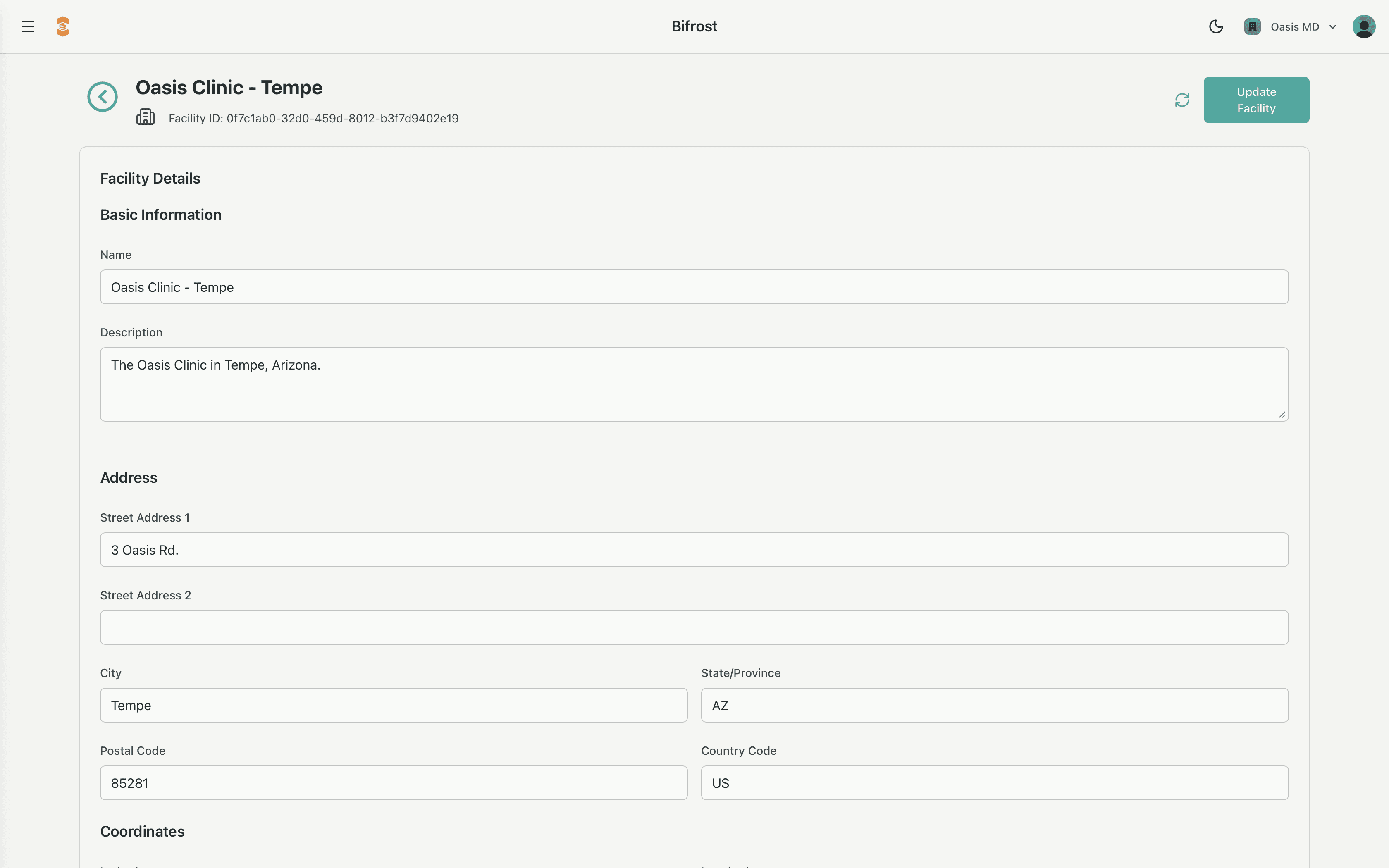
Typical Actions in Bifrost
Create a new facility
- From the Facilities section, click New Facility.
- Provide at minimum a Name and the required address fields.
- Optionally add latitude/longitude if you'll be integrating with mapping or RTLS systems.
- Save to generate a new
facility_id.
Edit facility details
- Open an existing facility from the list.
- Update name, address, or description as real-world details change (e.g., building renumbered, site renamed).
- Bifrost records
updated_atautomatically, so you always know when a given change happened.