Role
A role represents a category of user inside your organization:
- In manufacturing:
Operator,Maintenance Technician,Line Supervisor - In healthcare:
Charge Nurse,Attending Physician,Patient Advocate
Roles can be as broad or as specific as the customer needs, but every assembly is created for exactly one role at a time. That single role becomes the anchor for which tools, agents, and content are available to the copilot for a given user.
Conceptually, a role answers:
"Given this person's job, what should the AI be able to see, say, and do - and just as importantly, what should be out of bounds?"
How Roles Influence Assembly
During Assembly, the chosen role is always part of the root (role × collection) pair that drives synthesis.
When the assembler traverses binding rules and collects candidate MCPs and Agents, it only keeps:
- MCPs where
role_permissions[role_id]is enabled, and - Tools that appear in the
tools[role_id]list for that MCP. - Agents where the
role_permissions[role_id]isAllowto access.
This ensures:
- A line operator can query and control the sensors in the moment but not review the sensor history.
- A nurse can get patient information but cannot directly prescribe medication.
Role Config Model
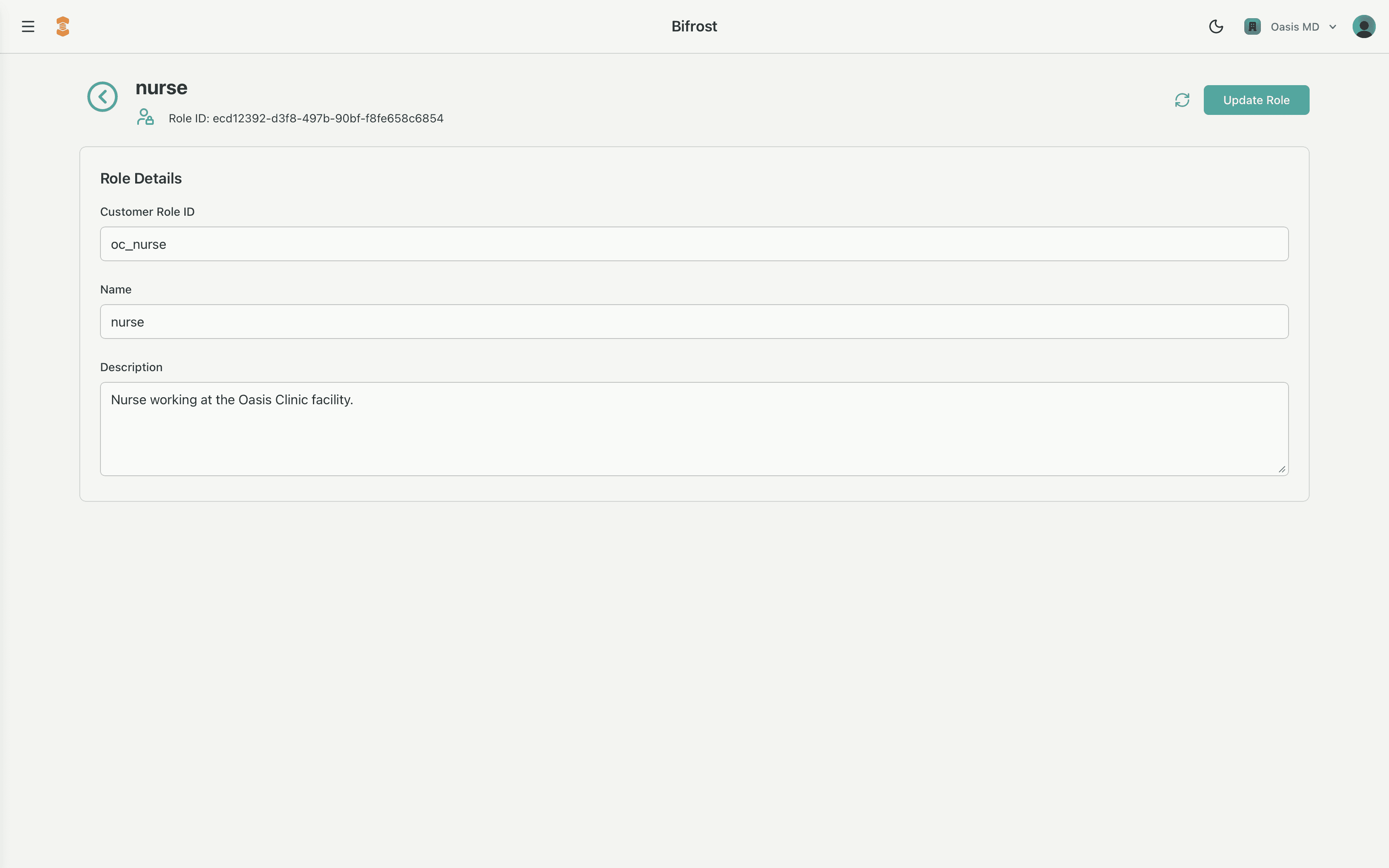
Roles are stored using the RoleConfig schema:
RoleConfig {
  role_id: string
  customer_role_id?: string
  name?: string
  description?: string
  created_at?: number
  updated_at?: number
  customer_id?: string
}
Field-by-field:
role_id: string
The internal unique identifier for the role.
- Used as the key in services like MCP configurations (e.g.,
tools[role_id] = [...]androle_permissions[role_id] = true/false). - This is what the assembler uses when resolving which tools and agents are available for a given user.
customer_role_id?: string
An optional external identifier that maps to the customer's own IAM or directory system (e.g., an Okta group, Azure AD role, or custom role slug).
- Helps keep Bifrost roles aligned with the customer's existing access model.
- Useful when syncing or auditing permissions across systems.
name?: string
Human-readable label for the role (e.g., "Line Operator", "ED Charge Nurse", "Claims Adjuster – Senior").
- Displayed in the Bifrost admin UI and referenced in documentation and training.
description?: string
Free-form description of how the role is intended to be used.
- Example:
"Front-line operator responsible for starting, stopping, and inspecting the packaging line." - Use this to clearly communicate scope and guardrails to both admins and stakeholders.
created_at?: number / updated_at?: number
Timestamps recording when the role was created and last modified.
- Support auditability and change tracking alongside the assembly and logging features.
customer_id?: string
Metadata used by Mimory. Not modifiable.
Managing Roles in Bifrost
Admins use Bifrost to create, inspect, and modify roles. All configuration behind the scenes is stored in RoleConfig records, but Bifrost presents a guided, human-friendly interface that reinforces context and control.
Typical Workflow
1. Create a new role
- In Bifrost, navigate to Core → Roles.
- Click Create Role.
- Provide:
- Name (e.g.,
"ICU Nurse"), - Optional Customer Role ID,
- Description that clearly defines responsibilities and boundaries.
- Name (e.g.,
- Bifrost creates the underlying
RoleConfigand assigns a newrole_id.
2. Map the role into the broader architecture
- Configure MCPs to recognize this
role_id:- Add the role to the MCP
toolsdictionary with the subset of tools this role may access. - Toggle
role_permissions[role_id]on/off to grant or revoke access to that MCP entirely.
- Add the role to the MCP
- Connect the role to one or more Characters to tune the system prompts and behavior to that job function.
3. Update role details as responsibilities evolve
- Use the edit flow in Bifrost to adjust the role's name or description or to rotate its
customer_role_idif the external IAM mapping changes. - The
updated_attimestamp is automatically refreshed so changes can be audited alongside assembly logs.
Best Practices for Defining Roles
To align with the platform's focus on context, control, and clarity, we recommend:
Model real jobs, not just org charts
Base roles on what people actually do and which tools they need, not only on managerial hierarchy.
Use customer_role_id to mirror the customer's IAM
This keeps Bifrost and the customer's systems aligned and simplifies audits and troubleshooting.
Treat descriptions as policy, not decoration
Write descriptions that clarify what should and should not be possible for that role. This makes reviews and risk assessments easier.
Review roles alongside assembly logs
When you perform governance reviews, look at the role definitions and recent assemblies together to confirm the system is behaving as intended.